Morphological operations on a volume mask
Usage
morph_volume(
  volume,
  operation = c("erode", "dilate", "largest_component", "fill_holes"),
  radius = 1L
)
Arguments
- volume
volume mask array, must be 3-dimensional array; voxels above zero are the foreground and missing values are the background
- operation
'erode'and'dilate'use a ball that holds the voxels closer thanradius + 0.5voxels, or with three radii the ellipsoid whose semi-axes areradius + 0.5voxels (the voxels beyond the edge of the volume count as foreground for the erosion and as background for the dilation);'largest_component'keeps the largest component (all of them if several tie), connected through the faces of the voxels, and leaves its holes;'fill_holes'fills every background component except the largest one- radius
radius of the ball in voxels, ignored by the other operations; or three radii, one per axis of
volume, so that a distance in millimeters can be honored on voxels that are longer along one axis
Examples
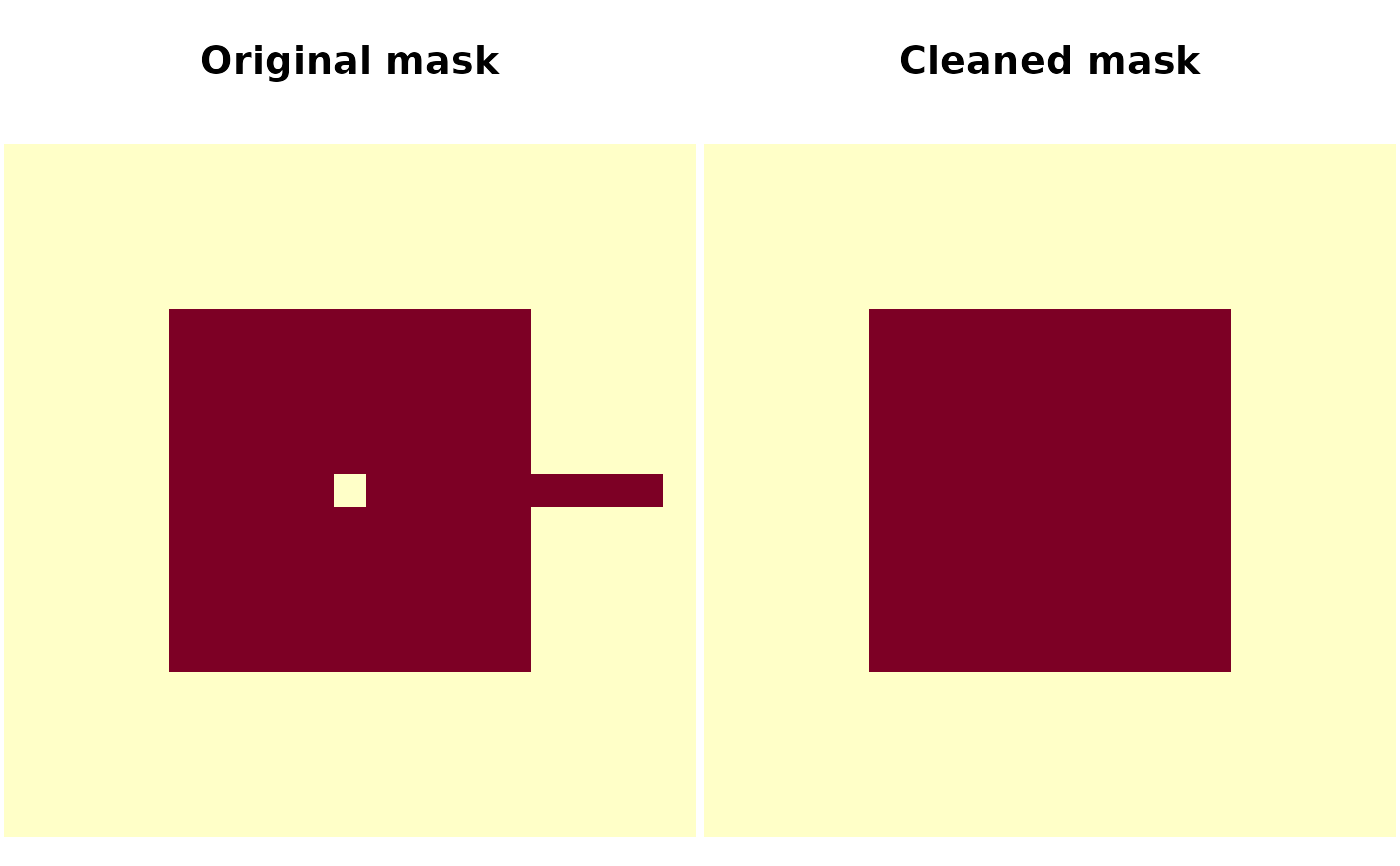
mask <- array(0L, c(21, 21, 21))
mask[6:16, 6:16, 6:16] <- 1L
mask[11, 11, 11] <- 0L
# a thin bridge to another object
mask[17:20, 11, 11] <- 1L
# the erosion cuts the bridge, the largest component drops what is left
cleaned <- morph_volume(mask, "erode", radius = 1)
cleaned <- morph_volume(cleaned, "largest_component")
cleaned <- morph_volume(cleaned, "dilate", radius = 1)
cleaned <- morph_volume(cleaned, "fill_holes")
oldpar <- par(mfrow = c(1, 2), mar = c(0.1, 0.1, 3.1, 0.1))
image(mask[, , 11], asp = 1, main = "Original mask", axes = FALSE)
image(cleaned[, , 11], asp = 1, main = "Cleaned mask", axes = FALSE)
 par(oldpar)